
With our help, wireless can be painless.
Wireless Home Networking Support
Get equipped to connect all your devices to your home internet
GigaSpire
- Heart of Iowa provided router
- Blazing speeds and whole-home coverage
-
Wi-Fi 6
The most advanced Wi-Fi standard yet, it’s faster and optimized for performance in today’s busy smart home environments. -
Dual-band support
Dual-band support means that the BLAST u6.2 lets you take advantage of all the capabilities of Wi-Fi 6 (802.llax) using both the 2.4 GHz and 5 GHz bands. With 4×4 at 5 GHz and 2×2 at 2.4 GHz, BLAST u6.2 is a powerful dual-band Wi-Fi system. -
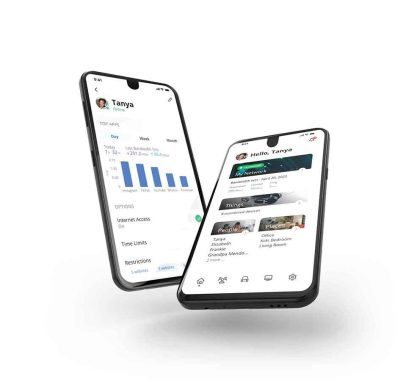
The Command IQ App
The ultimate Wi-Fi deserves the ultimate app. Take control of your home with Command IQ. Utilize the App to view connected devices on your network, set basic parental controls, set up a guest network, or adjust your SSID and password.
GigaSpire Ports
-
WAN - grey port or port below 4 in a row
Main cable connection- Internet is provided by Heart of Iowa. -
Ethernet Ports - 4 yellow or in a row
Ethernet cable ports for hard-wired devices in your home. -
Power Adapter
Round port power supply
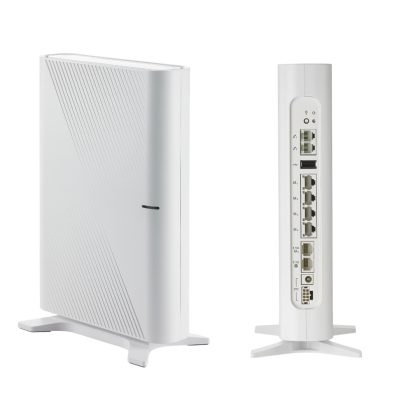
New GigaSpire White
Front & Back
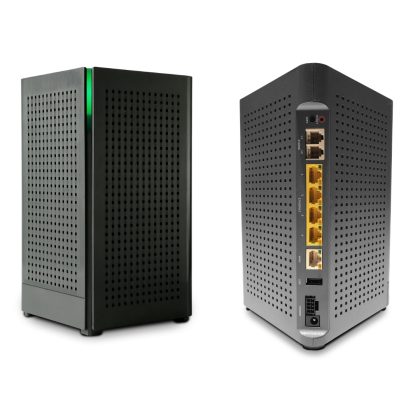
GigaSpire Black
Front & Back
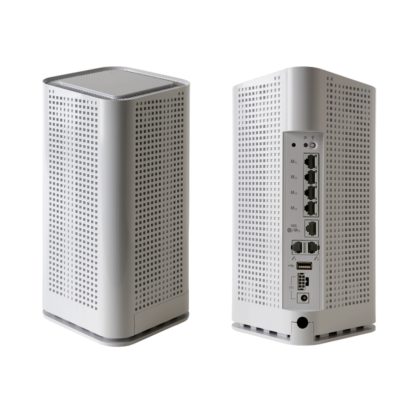
GigaSpire White
Front & Back
The Essential Experience is our Commitment to Every Customer.
The Ultimate Wi-Fi service comes standard
Command of your Wi-Fi in the palm of your hand
Built-in Cybersecurity
Connecting a Device to WiFi
Listed below are instructions for email set up. Please choose the program you will be running on.
1. Enable WiFi on your Apple iOS Device:
• Tap Settings.
• Tap WiFi.
• If WiFi is set to OFF, tap the slider button to turn it ON.
2. Connect to the WiFi Network:
• Tap Settings.
• Tap WiFi.
• Tap the network name from the list of available networks (SSIDs).
• Enter the network password.
• Tap OK.
1. Enable WiFi on your Android Device:
• Touch the Settings icon.
• Tap Wireless & Networks and / or Wi-Fi.
• If WiFi is turned OFF, to turn it ON.
2) Connect to the WiFi Network:
• Tap Scan to search for available networks.
• Tap your network name form the list of available networks (SSIDs).;
• Enter the network password.
• Tap Connect.
1) Enable WiFi on your Kindle Fire Device:
• Tap Quick Settings or Wireless.
• Tap Wi-Fi.
• If WiFi is turned OFF, to ON turn it on.
2) Connect to the WiFi Network:
• Tap Quick Settings or Wireless.
• Tap Wi-Fi.
• Tap your network name form the list of available networks (SSIDs).;
• Enter the network password.